




Prove every play
Sell airtime on figures the buyer builds from the same confirmed plays as you: every opportunity, played or not shown, reported to the buyer, photographs where your CMS supplies them, and money records nobody rewrites.
ExploreA buyer’s creative waits for your people to approve it before it can win at auction. Legal, brand safety and every other department you name sign off, and the buyer hears every objection at once. When you approve a creative a buyer will bid with, you choose which faces it may run on. Only the buyers you name as trusted, and the partners you sell to through private deals, skip the queue.
The context
When airtime is sold by a machine, a creative can come from a buyer your team has never spoken to. The rules for what may run on a screen belong to the screen’s owner: a lawyer’s view, a brand’s, a city’s. One person with one approve button has to carry all of them.
01/04Your people decide before it airs
“Whatever plays on my screen is my reputation on the street, whoever paid for it.”
Before a buyer's creative can win an auction and air, one of your employees decides whether it may, and on which faces. Two kinds of creative skip that decision: those from buyers you put on your automatic approval list, and those from the partners you sell to through private deals, which come from the partner and are not reviewed.
CityScreen Context sells airtime automatically. Without a review step, a demand partner could put anything on an operator’s screens the moment it won a bid. Creative approval is where an employee of the selling organization decides whether a submitted creative is allowed to air, and on which faces.
A demand partner cannot put a creative on a screen by winning an auction with it. The creative has to have been accepted first, and delivered to the content management system, before it can be played at all.
Reviewing, approving and rejecting creativesAutomatic approval is a list of demand partners held in the organization’s settings. It is empty by default: with an empty list, every creative from every partner goes through human review.
Automatic approval allow-list for trusted partnersCreatives arrive from the partner without the usual submission for review: when the partner returns a creative CS Context has not seen before, the platform imports it as a confirmed campaign and shows it from the next opportunity onward.
Private deals (reserved, non-auction fulfillment)0204
“One department rejects, the buyer fixes that, and then another department rejects the same creative for a different reason.”
What happens todayA creative bounces between the buyer and the media owner once for every department with an objection, and the campaign waits through every round.
Name the departments that must sign off, such as legal or brand safety, and every creative is put to each of them; the documentation calls a department a position. Nothing goes back to the buyer until all have voted: one rejection stops the creative, and every rejecting department's reason travels with it. Each department you add is one more verdict to wait for.
How it works, from the documentation
A position is a review responsibility. An organization defines its own — legal, brand safety, sales, whatever the business needs — and a moderation request is then put to every one of them.
Until the last position votes, the request or layout stays where it is and nothing is sent anywhere.
Every position the organization has defined records its own verdict, and the request stays open until they all have.
A reason is required on every rejection. It is free text, and it is sent to the demand partner verbatim.
Rejection reasons & resubmission handlingEvery position you define is another verdict that has to be collected before anything can go to air. Three positions means three people have to act on every creative that arrives, and the slowest of them sets the pace.
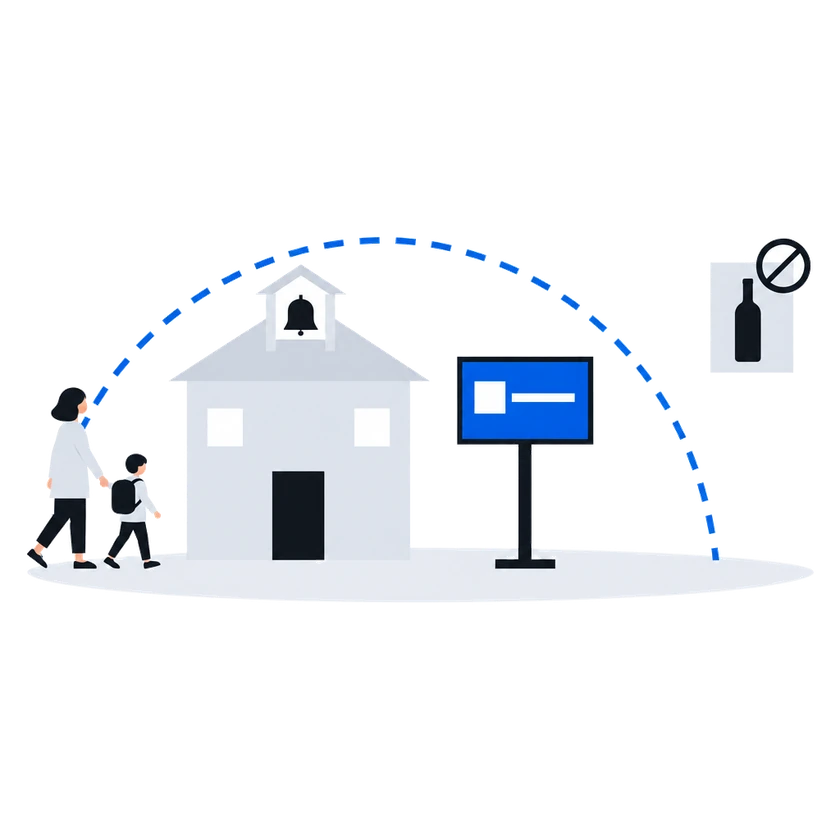
Positions: multi-department sign-off“A creative we cleared for downtown stays off the screen next to the school.”
When you approve a creative, you can allow it only on chosen faces or keep it off chosen faces: for a site with content restrictions, or a place where local rules ban a category. The buyer is told which faces the creative is approved for, so it knows where it may bid; with no faces chosen, you put no limit of your own on it. A creative sent for an automated guaranteed booking, which the documentation calls a layout, cannot be limited this way.
How it works, from the documentation
Scoping is available on the moderation-request flow only.
Set the scope on the request before approving it. Two modes are available:
Allow list. The creative may run only on the faces you select.
Block list. The creative may run on any face except the ones you select.
If no scope is set, the creative has no face restriction. On screens run by CS Play the creative may run on every face of the organization. On KIS, SpinetiX and CubicVision the platform limits the creative to the faces whose aspect ratio matches its media.
Use this when a location has content restrictions, when local regulation prohibits a category of advertising in a particular place, or when a creative is only appropriate for some of your sites.
On approval the demand partner is told which faces the creative was approved for, so it knows where it may bid.
Reviewing, approving and rejecting creatives“Creatives from buyers we trust are approved the moment they arrive, without waiting for a reviewer.”
Put a buyer you trust on your automatic approval list, and its creatives are approved the moment they arrive, with nobody waiting on a reviewer. The list names buyers one by one. For a buyer on it, your departments are not asked and its creatives run wherever it submitted them for.
How it works, from the documentation
An organization can name demand partners whose creatives are confirmed the moment they arrive. No employee sees them, no verdict is recorded, and nothing waits.
The list is per organization and per demand partner.
What it skips:
Human review, entirely. No employee is asked. No new request or approving layout appears in either queue for anyone to act on.
Employee positions. Positions are not consulted. An organization that requires legal and brand-safety sign-off on every creative does not get that sign-off for a partner on this list.
The reviewer’s scoping step. On the moderation-request flow, restricting a creative to particular faces is part of the review. There is no review, so there is no scoping. The request is confirmed with whatever scope the demand partner’s own submission carried.
Automatic approval allow-list for trusted partnersBefore you start
What you doWhy, from the documentation
Define the departments that must sign off on every creative, and give each one its reviewers
Decide which buyers you trust enough to skip review, and add them to the automatic approval list one by one
Publish your technical requirements, and have your reviewers check each creative against them, because the only thing the platform does with the text is pass it on to buyers
Technical requirements are enforced by a person reading them.
The platform stores the text, publishes it, and hands it to demand partners. It does not parse it, and it does not compare a creative against it. Whether a creative meets the requirements is decided by whoever reviews the creative.
Publish technical requirements (org & face level)Flat-rate & private deals
Creative moderation
Administration
Other scenarios
Sell airtime on figures the buyer builds from the same confirmed plays as you: every opportunity, played or not shown, reported to the buyer, photographs where your CMS supplies them, and money records nobody rewrites.
ExploreProgrammatic on your terms: only the demand partners you enable can buy, on the faces and at the floors your price list sets, sold by a platform that buys no advertising itself.
ExploreAgency money consolidates toward networks that are easy to buy. CS Context lets an independent network enable, with its own connection details, the demand partners already on the platform, and keeps the delivery evidence in the same system.
ExploreThe budget rival is the online channel that proves delivery event by event. CS Context gives out-of-home delivery evidence a media buyer can compare with it.
Explore