Proposals priced from your own price lists and sent in your own layout without creating a deal first, sites picked by the places around them, sites shown on a map without prices, and a discount limit enforced on save.
ExploreAnswer a client's security review from the system that holds the deals
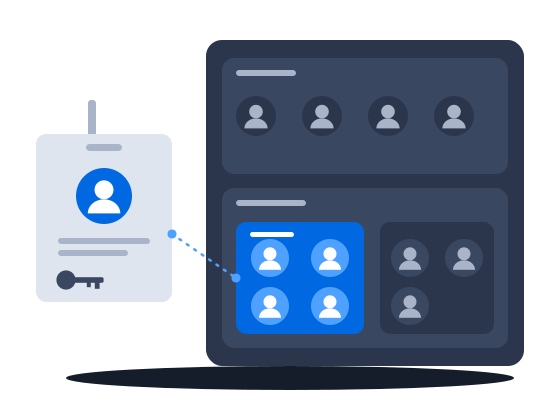
Two-step verification can be required of everyone or of chosen roles, passwords follow a policy, repeated failed sign-ins are blocked and a sign-in log keeps the record. A leaver is cut off when you deactivate them, and each of your own systems connects under an account of its own.
The context
In a spreadsheet, or a sales tool where colleagues share a login, a security questionnaire gets answered from memory. Nobody can say who signed in last week or from where, and when someone leaves, their access is closed account by account, by hand.
01/03A security review gets its answers from the system
“When a buyer's security questionnaire asks about two-step verification, password rules, protection against password guessing and a sign-in record, we can answer yes to each.”
Answers for the security review
Two-step verification can be required of everyone or of chosen roles, passwords follow a policy with a limit on reuse and a lifetime, repeated failed sign-ins are blocked, and a sign-in log keeps the record and exports it.
How it works, from the documentation
An administrator sets the policy to Not required, Required for everyone or Required for selected roles. A required employee needs no setup, because the next sign-in asks for a code sent to their e-mail address.
Two-step verificationThe password policy sets a minimum length, a number of recent passwords that cannot be reused, and a password lifetime:
- Password policy: minimum length (characters) defaults to 6 and accepts 6 to 128.
- Password policy: passwords that cannot be reused defaults to 5 and accepts 1 to 24. The count includes the current password.
- Password policy: password lifetime (days) accepts 1 to 3650 days. Left empty, which is the default, passwords never expire.
After several failed sign-in attempts with one login from one address, sign-in with that login from that address is blocked for a few minutes, and the block grows longer while the failures continue. A block ends by itself, so nobody has to unlock the account, and the sign-in log records each block. The account itself is never locked.
Protection against password guessingExport writes the entries that match the current filters to an XLSX file, which appears in Settings > Export Jobs as Sign-in log. A file holds at most 100,000 rows.
Sign-in log0203
02 “Deactivating a leaver ends their sessions, tells the apps that registered a logout address that the employee signed out, and stops their tokens and mail passwords.” →A leaver is cut off in one action
“Deactivating a leaver ends their sessions, tells the apps that registered a logout address that the employee signed out, and stops their tokens and mail passwords.”
Deactivating an employee ends every session at once and removes the tokens and passwords they used to reach CS Deals. Applications that registered a logout address are told the employee signed out.
How it works, from the documentation
Deactivating an employee ends every session of the account at once. It also deletes the employee’s personal access tokens, app passwords, OAuth tokens, backup codes and authenticator app, and it tells connected applications that the employee signed out. Activating the account again does not bring any of these back.
Employee accountsAn administrator can end a single session of an employee, or all of their sessions at once. The confirmation for all sessions lists the connected applications that will be told the employee signed out.
SessionsCityScreen Deals sends a logout message to every application that has a logout address and holds a token of the employee when:
- the employee logs out, or ends a session;
- an administrator ends the employee’s sessions;
- the employee’s password is reset, or it expires and the sessions end;
- a password change ends sessions;
- the account is deactivated or deleted;
- the employee revokes the application’s authorization under Account > Authorizations.
A session that simply expires sends no message.
Sign-out across connected apps03 “Our own systems call CS Deals under an account of their own, with only the access we give them.” →A service account for every integration
“Our own systems call CS Deals under an account of their own, with only the access we give them.”
Each integration is an OAuth application with its own roles, so it sees and changes only what those roles allow. Deleting the application stops it at once, and no employee account is affected.
How it works, from the documentation
An application with the client credentials grant acts as a service account with the roles assigned to it in the Roles field. It holds none of the rights of the employee who registered it, and it keeps working when that employee leaves.
Regenerate secret stops the current secret at once and shows a new one. Access tokens already issued stay valid until they expire. Delete stops every token of the application at once.
This function is licensed. If your organization’s license does not include it, contact CityScreen. The license entry is called “OAuth applications”. Without it every OAuth endpoint on this page answers 404.
Service accounts for integrationsBefore you start
What the setup asks of you
What you doWhy, from the documentation
Choose who must use two-step verification
Set the password policy before you add the team
Give the sign-in log to whoever answers audits, because no role has it until you grant it
The log records every sign-in at every entry point, every failed check of a password, code, token or secret, and every block of repeated failures. It also records every sign-out, every session that expires or is ended by an administrator, every password change, reset request and reset, and every set-up, removal and method change of two-step verification.
Sign-in log
CS Deals · Features in this scenario8
Access & administration
Single sign-on & API access
Other scenarios
CS Deals, tuned to your network.
Regional teams, an agency desk and finance in one system: deals open to the teams they are shared with, fields hidden from a group, a list of who may start each process, and a deal history whoever takes it over can read.
ExploreMalaysian e-invoices sent through ClearTax with the QR code attached to the invoice, a contract pack filled from the deal, and approved invoices posted to the ledger.
ExploreYour administrator defines the documents you keep, their fields and calculations, and changes them as the business needs; each comes out in a layout you author, and the record types and fields you checked on a test organization reach production in one file.
ExploreOne sync turns a booked deal into a live CS Play campaign, a changed flight or price on a proposal already sent to CS Play is flagged for another sync, and the screen list arrives from CS Play every hour.
ExploreProcesses drawn in the product create and send the documents, each with its own list of who may start it; a failed step is marked on the diagram, and a new version leaves running work alone.
ExploreProof of posting for every face on one link for the advertiser, printing and installation sold in the same deal as the space, the free boards exported as a presentation, and lease dates a process can watch.
ExploreCount plays in a digital loop and positions on a scroller or tri-vision where you sell them, keep a campaign with several flights in one proposal, and keep quoted prices when the price list changes.
Explore